Help DeskEca RepositoryCertificate Tools

As a U.S. Government ECA Vendor, WidePoint-ORC is authorized to provide digital certificates for:

  • Identification/Digital Signature for people and devices
  • Encryption to secure email and digital files
  • Server Authentication for identification of web sites and other devices
  • Domain Controllers for securing your Windows domain
  • Signing of Code

Detailed information About Walk-Ins

Our NEW/Returning Customers Procedures & Processes have changed:

  • Customers will now create individual accounts at our site to make certificate requests and download certificates to enhance security.
  • The request process and the process to download software-based certificates will be browser-independent.
  • Hardware-based certificates will use a proprietary app to download the certificates onto smart cards, USB tokens, or YubiKey FIPS keys instead of a browser. If the user has chosen a smart card or USB token, then the subscriber will need ActivClient Software to work with this proprietary app. If the Subscriber is using a YubiKey FIPS, then they will NOT use ActivClient.
  • Subscribers for ECA Medium Assurance, ECA Medium Token Assurance, and ECA Medium Hardware Assurance Client Certificates and for both levels of Code Signing Certificates will no longer generate enrollment keys or RSA Keys with the request forms.  The enrollment keys (also called private keys) and RSA Keys will be generated at the end of the process; those keys will be generated and the certificates will be downloaded all at one time.
  • The previous point means that ECA Medium Assurance (software-based) Certificate Subscribers will only have one opportunity to save backup copies of their certificates to recover them if a computer crash occurs; so, they need to carefully follow the instructions when downloading their certificates and setting the password for their certificates and the backup copies.

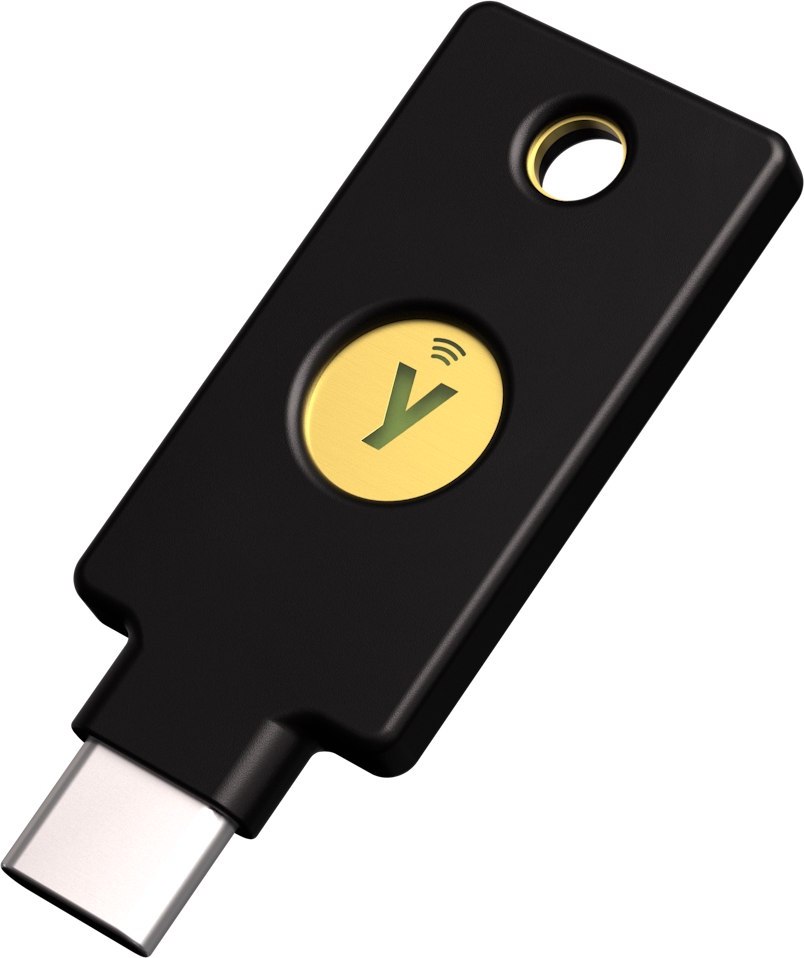
WidePoint now supports YubiKey FIPS for ECA Medium Token Assurance, Medium Hardware Assurance, and Code Signing Certificates

  • WidePoint now supports FIPS 140-3 and FIPS 140-2 YubiKeys for our hardware-based certificates. They will be able to be purchased through WidePoint or through 3rd party vendors. Currently WidePoint is not selling YubiKey hardware, but we will be shortly.
  • The YubiKey solution is not compatible with ActivClient middleware software, if you previously had a USB token or smart card through WidePoint then you will need to uninstall ActivClient before proceeding with our YubiKey solution.
  • This solution requires companies to decide if they would like WidePoint to manage individual users’ PUK and 9B values, or if they would like to manage these values for their team. Please use the link here to read more about the setup process for our YubiKey solution.
  • It is not possible to transfer ID certificates from a current smart card to a YubiKey. If the choice is made to begin using our YubiKey solution, you will need to begin with new certificates. Renewals will not be transferred between the different hardware, as the original ID certificate is needed.
  • If you currently use smart card/USB token based certificates to sign and encrypt emails, then it is not recommended to move to the YubiKey solution. ActivClient is necessary for smart card/USB token based certificates and is incompatible with our YubiKey Solution. This would force you to reinstall ActivClient software every time you wanted to use your old certificates to access previously encrypted emails and then uninstall ActivClient to continue to use your YubiKey.
YubiKey FAQ

What do I do if I already have a smart card?

  • If you currently use smart card/USB token based certificates to sign and encrypt emails, then it is not recommended to move to the YubiKey solution. ActivClient is necessary for smart card/USB token based certificates and is incompatible with our YubiKey solution. This would force you to reinstall ActivClient software every time you wanted to use your old certificates to access previously encrypted emails and then uninstall ActivClient to continue to use your YubiKey.
  • If you currently use smart card/USB token based certificates but DO NOT use them to sign/encrypt emails then you can transition to a YubiKey, but you would need to uninstall ActivClient software.

Does this mean that my current smart card isn’t valid?

  • No, you can continue to use smart cards with your ECA Certificates. The YubiKey solution is a new solution that we are offering, but we are not forcing any users to swap to the new medium.

Will I need to purchase additional middleware?

  • No, our YubiKey solution does not require any purchased middleware software. You will need to download and install two Yubico applications, but these are both free and offered by Yubico for download.

I already own a YubiKey, am I allowed to use it?

  • Yes, if it is a FIPS 140-3 or FIPS 140-2 YubiKey. Please use this PDF to figure out if your YubiKey is valid.

My company already uses smart cards. Can some of our employees use YubiKeys?

  • Yes, it is possible for a company to split its user’s between YubiKeys and smart cards. Though it is recommended for a company to choose between the options for long-term use as it will ease the burden on your IT.

Can I move my certificates from my smart card or USB Token to my YubiKey?

  • No, you cannot transfer previous certificates to the new YubiKey. Your previous certificates will need to be on your smart card for future use. If you choose to move to a YubiKey, you will need to keep your old smart card for access to previously encrypted emails.

Should I use a YubiKey or a smart card?

  • This is a conversation that we recommend you have with your FSO and IT. There are many different factors that would cause a company to choose one of the other. Please speak with your company and reach out to us at wcsc.helpdesk@widepoint.com with any questions you have.

What You’ll Need

Before making client certificate requests, you MUST know all of the DoD systems you will need to access to get at least the minimum level of assurance of ECA Certificate you’ll need to access ALL of those sites.

NOTE: Defense Intelligence Information Enterprise (DI2E) Site, requires different access levels within the site which may make your level of ECA Certificate vary you MUST  be approved by the web site manager for every level of access.

The various levels of ECA Client Certificates are listed below from highest level of assurance to lowest level of assurance:

  • ECA Medium Hardware Assurance (hardware-based; requires an appointment with an LRA for the request process and certificate download process)
  • ECA Medium Token Assurance (hardware-based; can be done at the subscriber’s office for the request process and the certificate download process)
  • ECA Medium Assurance (software-based; can be done at the subscriber’s office for the request process and the certificate download process)

Please note that there are a few agencies that may require some subscribers to obtain a higher level of assurance than just the ECA Medium Assurance Certificates to digitally sign and exchange encrypted emails and to digitally sign a Portable Document Format (PDF) File.

The ECA Non-Client Certificates consist of Code Signing Certificates, MFOM Certificates (special program for contractors and DOD Personnel assigned to certain DOD Organizations), TAXII Certificates (special program with the DHS), Component/Server/SSL Certificates, Domain Controller Certificates, and VPN IPSec Certificates.


Get Certificates

ECA Medium Assurance, ECA Medium Token Assurance, and ECA Medium Hardware Assurance Requests

Proceed »

ECA Code Signing Requests

Proceed »

ECA Component Server SSL, ECA Domain Controller, ECA VPNIPsec, MFOM, and TAXII Requests

Proceed »